

User manual › Chapter 5
Songs
Build your song library, write lyrics with sections and chords, set the order and key for each service, and jump between verses live.
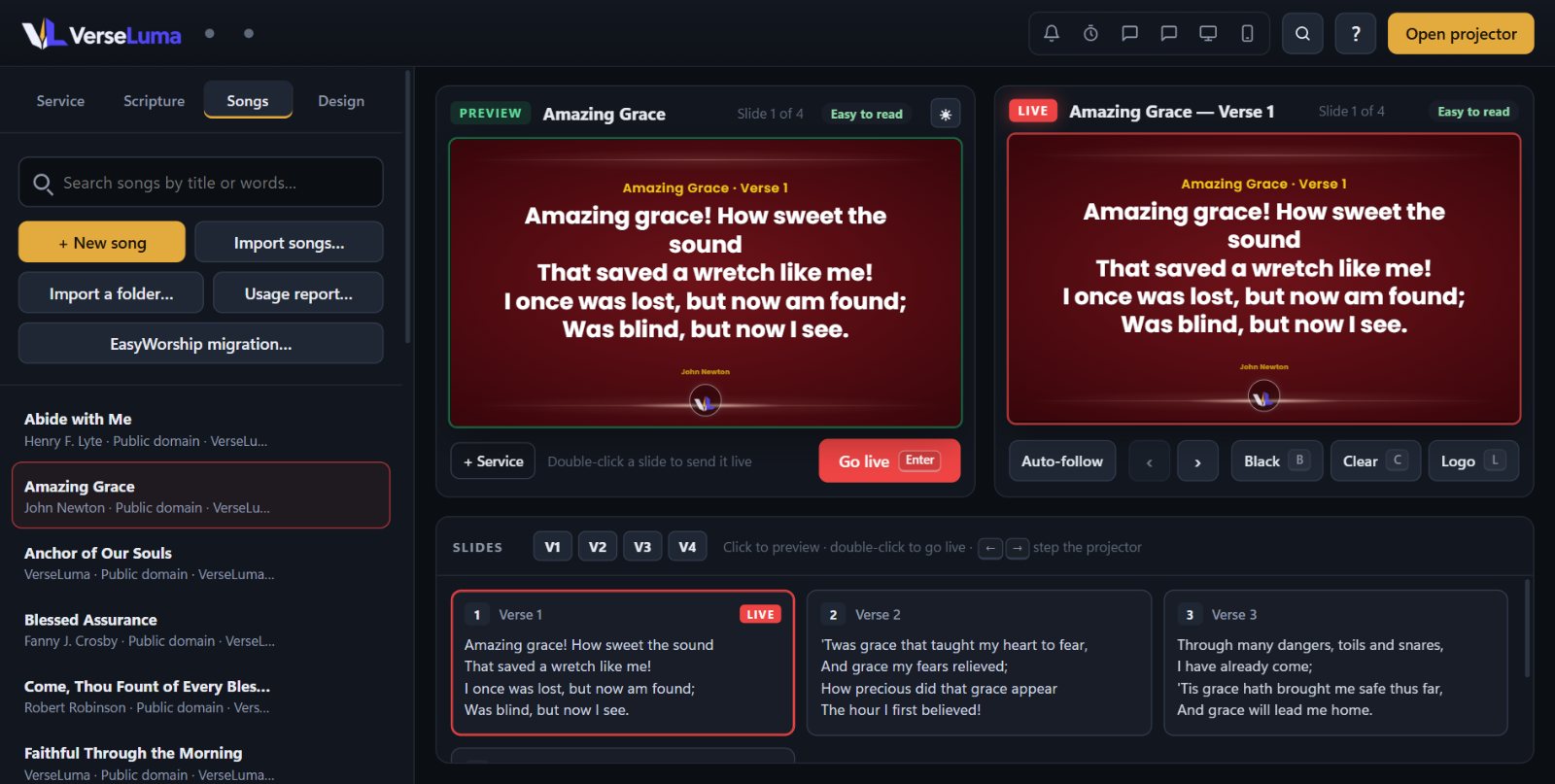
The song library
The Songs tab lists every song. Search by title or by words from the lyrics. Click a song to put it on Preview, double-click to send it live. VerseLuma comes with public-domain hymns to get you started.
Add or edit a song
- Click + New song, or click Edit on a song.
- Fill in Title, and if you know them Author, Copyright, CCLI song number and Key.
- Type or paste the Lyrics (see below) and click Save song.
The built-in hymns are protected: editing one makes your own copy.
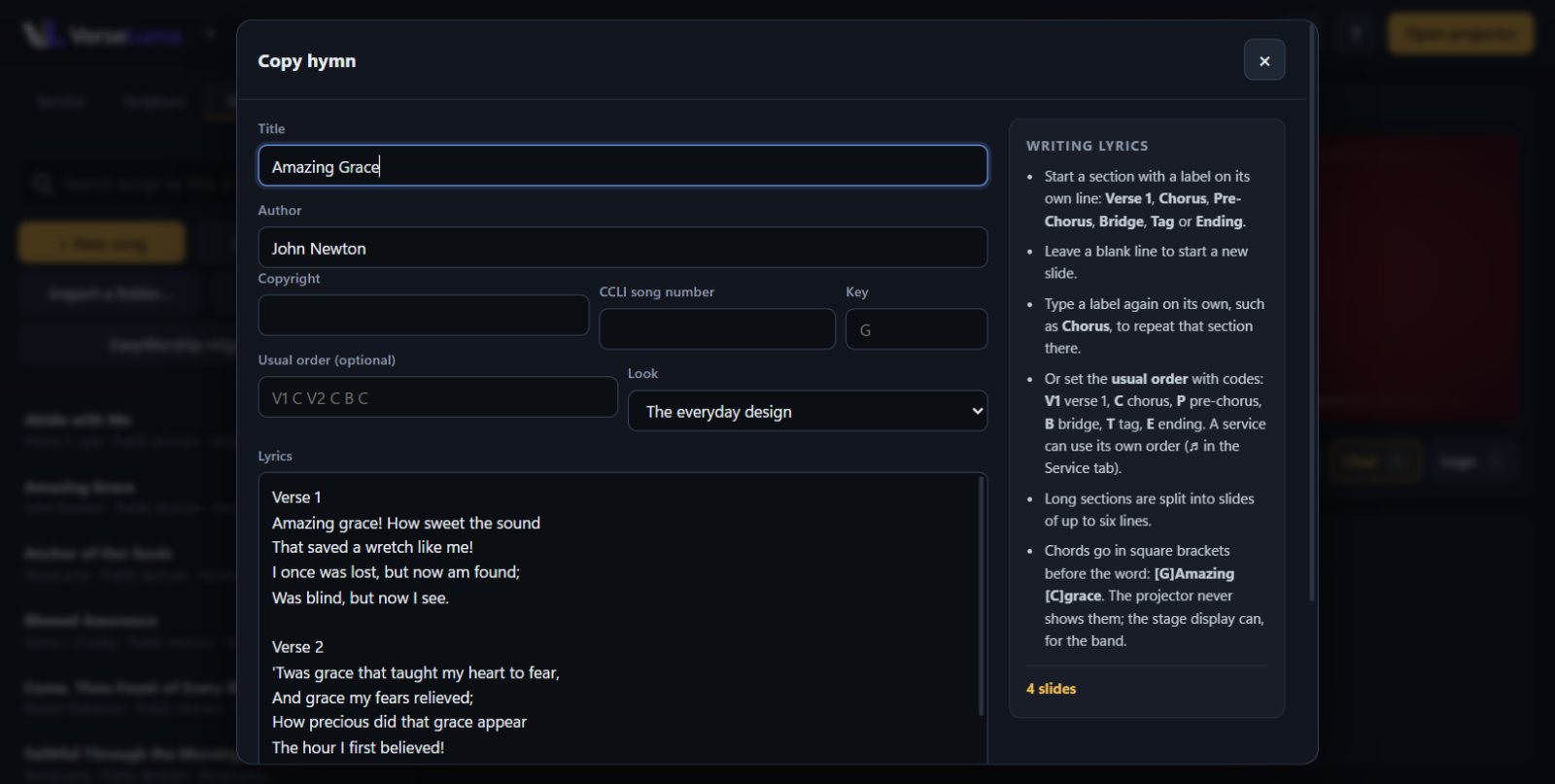
Writing lyrics
- Start each section with a label on its own line:
Verse 1,Chorus,Pre-Chorus,Bridge,TagorEnding. - Leave a blank line to start a new slide within a section.
- Type a label again on its own (for example
Chorus) to repeat that section there. - Long sections are split into slides of up to six lines.
- Chords go in square brackets before the word:
[G]Amazing [C]grace. The projector never shows chords; the stage display can, for the band.
The usual order
Instead of repeating sections in the lyrics, set Usual order with short codes: V1 C V2 C B C. Codes: V1 verse 1, C chorus, P pre-chorus, B bridge, T tag, E ending.
Order and key for one service
When a song is in the service, click its ♫ button (Song order and key) in the Service tab to set the order for this service only and the key the band will play in. Click the section buttons to build the order, or type the codes. The stage display and chord charts use this key.
Jump around while live
| Key | Jumps to |
|---|---|
| 1 – 9 | Verse 1 to 9 |
| 0 or Shift + C | Chorus |
| Shift + B | Bridge |
| Shift + P | Pre-chorus |
| Shift + T / Shift + E | Tag / Ending |
The section buttons above the slides (V1, V2, C…) do the same with a click.
Import songs
- Import songs… — OpenLyrics (
.xml), an OpenLP song database, or plain text files. - Import a folder… — every song file in a folder at once.
- EasyWorship migration… — your whole EasyWorship song library; see Moving from EasyWorship.
CCLI song usage report
VerseLuma records each song you show. Click Usage report… in the Songs tab to see how often each song was shown in a date range (counted once per day), with CCLI numbers. Save it as CSV, print it or save it as PDF for your CCLI copy report.