

User manual › Chapter 15
Printing and reports
Print or save run sheets, lyric sheets and chord charts, share the Scripture summary, and report song usage for CCLI.
Run sheets, lyric sheets and chord charts
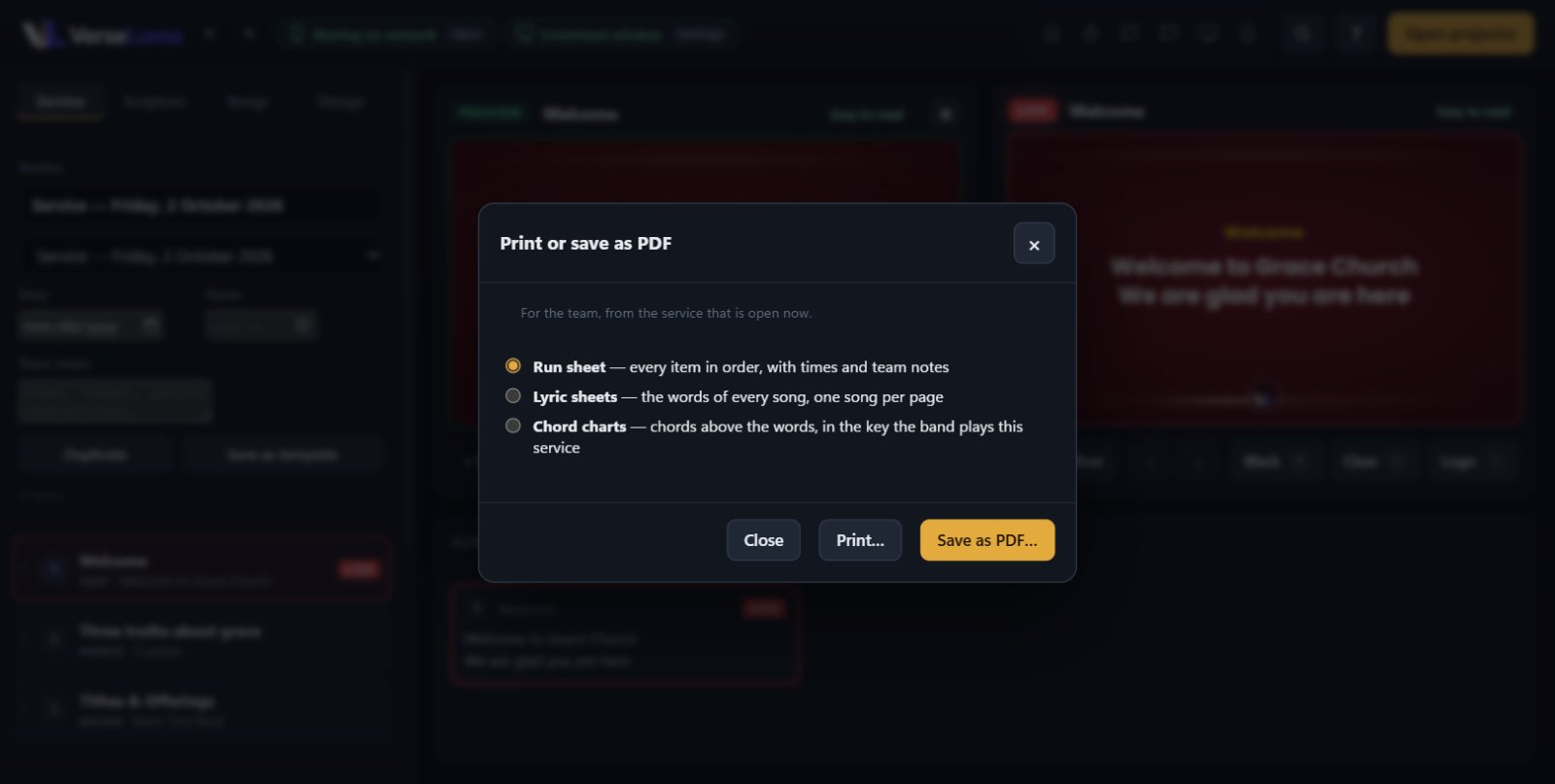
- Open the service in the Service tab and click Print / PDF…
- Choose what to print:
- Run sheet — every item in order, with times and team notes. Give it to the worship leader, the sound desk and the pastor.
- Lyric sheets — the words of every song, one song per page.
- Chord charts — chords above the words, in the key the band plays this service.
- Click Print… or Save as PDF… to share it on WhatsApp or email.
TipSet planned durations (◷) and a start time on the service, and the run sheet shows each item’s minutes, the total planned time and when the service starts.
Scripture summary
Every passage shown is recorded. Click Scripture summary in the Service tab, choose the day, then Copy text, Save as file, Print or PDF, or Copy for WhatsApp — a neat list for the church group after the service.
Song usage (CCLI)
Click Usage report… in the Songs tab. Choose the dates (CCLI asks for six-month periods) to see how many times each song was shown — counted once per day — with author and CCLI number. Save it as a spreadsheet (CSV), print it or save it as PDF for your CCLI copy report.